

Smart Approval Workflow
Use rule based approvals to make your expense review process more efficient. To ensure quick responses and compliance with regulations, expenses are automatically sent to the appropriate managers according to the department, spending limits, or category. The procedure is made open and efficient by means of one-click approvals, reminders, and rejection reasons.
Smart Picks: Top Features of Expense Software
Explore the strongest features that are created to make expense management very easy and efficient. It is a one stop platform where automated receipt scanning, policy-based approvals, and intelligent reporting are a few of the features that seamlessly interact with each other.
Expense claims management
Provide a structured workflow for employees to submit expense claims: fill in expense details, select categories, add notes/justifications. Then route them through an approval chain (e.g. manager → finance → final sign-off).
Expense reporting
Include reporting tools that allow users (and management) to view expense trends over time. This helps in identifying overspending, budgeting, cost-saving opportunities, and policy compliance.
Compliance checks
This helps prevent fraudulent or out-of-policy expenses, ensures compliance (internal or statutory), and reduces manual checking burden.
Claim Assignment
Based on the department, role, spending category, or claim amount, automatically direct expense claims to the correct team or approver. There is no uncertainty — each request goes to the right individual without any manual intervention.
Expense Insights & Reports
Create comprehensive reports broken down by employees, project, department, vendor, or date. Gain a clear insight into spending trends, compliance status, and overall financial health - all through user-friendly filters.
One-Click Export
Download expense reports, attachments, and audit history in multiple formats including Excel, PDF, and CSV. Perfect for accounting teams, audits, tax records, or system integration.
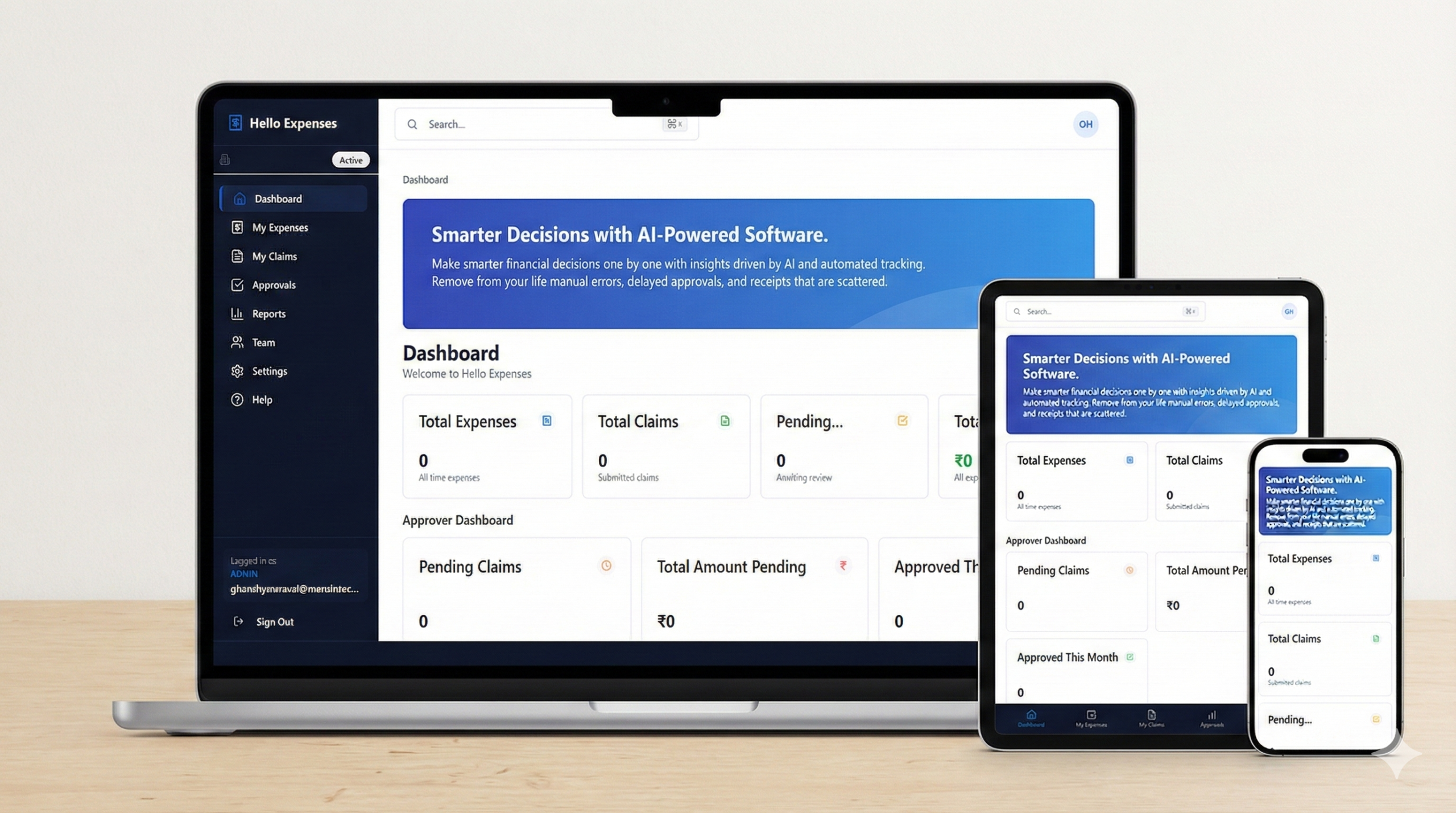
Smarter Decisions with HelloExpenses AI-Powered Software
Make smarter financial decisions one by one with insights driven by AI and automated tracking. Remove from your life manual errors, delayed approvals, and receipts that are scattered.
HelloExpenses Features That Work for You
Automate expense workflows, approvals, and reporting with intelligent precision.
HelloExpenses helps you track spending, enforce policies, and avoid budget leaks.
Make decisions backed by real-time data — not guesswork.

Features That Turn Expense Management into Performance
Make expense management efficient with the help of AI automation and real-time visibility. Nothing needs to be done manually as the system is handling everything by itself from receipt to capture to approvals and reporting.
Rule Based Access Control
Manage user permissions with complete precision. Assign access levels based on roles, departments, or responsibilities to ensure sensitive financial data stays protected and visible only to the right people.
Claim Assignment Automation
Every claim is automatically assigned to the correct manager or department based on spending rules, categories, and organizational workflow — eliminating confusion and bottlenecks.
Control Over Expenditure in Real Time
Define, observe, and handle expenditure limits on a momentary basis thus giving the power to the different teams to work within the budget and diminish the problem of overspending.
Approve from Any Place and at Any Time
The features are designed to allow the approvals to be done quickly while you are on the move.
Live Data for Smarter Budgets
Have immediate visibility into the expenditures and be able to make budget decisions based on the data.
Totally Control through Custom Workflows
Use flexible workflows to customize the approval processes according to your policies thus, ensuring compliance and the efficient functioning of operations.